METEOR
Description
Meteor - Roblox Exploiting Toolkit (Version 1.0)
Meteor is a powerful and versatile exploiting toolkit for Roblox, designed to enhance your gameplay with a range of combat, visual, and miscellaneous features. Take control of your gaming experience with easy-to-use toggles and customizable options.
Combat Features:
Aimbot: Improve your accuracy with automatic aiming.
Rage Mode: Instantly snaps your aim to the nearest enemy.
Legit Mode: Provides smoother, more subtle aiming within a defined Field of View (FOV).
Customizable Target Part: Choose to aim at the head, torso, or other body parts.
Aim Through Walls: Hit enemies even if they are behind obstacles.
Adjustable Range, FOV, and Smoothness: Fine-tune your aimbot settings for optimal performance.
Silent Aim: Hit targets without visibly moving your camera.
Aim Through Walls: Similar to Aimbot, this allows Silent Aim to work through walls.
Adjustable Range: Set the maximum distance for Silent Aim to detect targets.
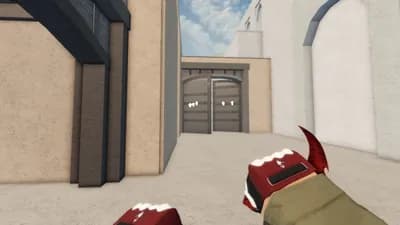
Hitboxes: Increase the size of enemy hitboxes, making it easier to land shots.
Adjustable Hitbox Size: Customize how large enemy hitboxes become.
Anti-Aim: Make it harder for other players to hit you by manipulating your character's orientation.
Spin Mode: Your character constantly rotates.
Jitter Mode: Your character's angle changes randomly.
Adjustable Spin Speed and Jitter Angle: Control the intensity of your anti-aim.
Visual Features:
Third Person: Switch your camera to a third-person perspective.
Adjustable Camera Distance: Control how far the camera is from your character.
ESP (Extra Sensory Perception): Gain an advantage by seeing important information about other players.
Wallhack: See ESP information through walls.
Show Names & Distance: Display player names and their distance from you.
Show Boxes: Outline players with colored boxes (team-based coloring).
Show Health Bars: See players' health directly on screen.
Adjustable Range: Set the maximum distance for ESP detection.
Chams: Apply a colored material to player models, making them highly visible.
Team-Based Coloring: Chams will display different colors based on the player's team.
Miscellaneous Features:
Speed (CFrame): Increase your character's movement speed.
Adjustable Movement Speed: Control how fast your character moves.
Bhop (Bunny Hop): Automatically jump while moving for continuous bunny hopping.
NoClip: Pass through walls and objects freely.
Fly: Take to the skies with full control (WASD for horizontal movement, Space to go up, Shift to go down).
Adjustable Fly Speed: Control how fast you fly.
UI Settings:
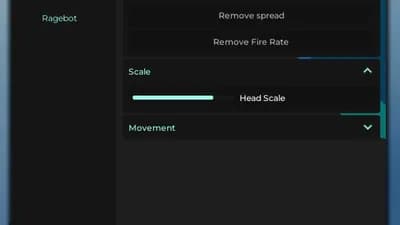
Customizable Interface: Adjust various aspects of the cheat's graphical user interface.
Keybind Menu: Easily manage and view all your keybinds.
Custom Cursor: Toggle a custom cursor for the cheat.
Notification Side: Choose where notifications appear on your screen (Left or Right).
DPI Scale: Adjust the scaling of the UI elements.
Menu Keybind: Set a custom key to open and close the cheat menu.
Unload Button: Safely unload the cheat from your game.
Comments