ADVERTISEMENTREMOVE ADS
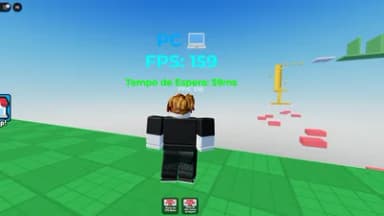
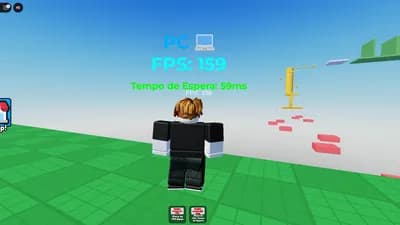
fps counter made with chatgpt
29,243 views
Universal script•
1 month ago
Script Preview
Description
if you are in "flex your fps" games the white small thing is your fps
Tested with
 Xeno
XenoADVERTISEMENTREMOVE ADS
49 Lines • 1.6 KiB
-- Script para exibir FPS sobre o personagem no Roblox Studio
local player = game.Players.LocalPlayer
local character = player.Character or player.CharacterAdded:Wait()
local humanoidRootPart = character:WaitForChild("HumanoidRootPart")
-- Criando o ScreenGui
local screenGui = Instance.new("ScreenGui")
screenGui.Name = "FPSDisplay"
screenGui.Parent = player.PlayerGui
-- Criando o TextLabel
local fpsLabel = Instance.new("TextLabel")
fpsLabel.Size = UDim2.new(0, 100, 0, 50)
fpsLabel.Position = UDim2.new(0, 0, 0, 0)
fpsLabel.BackgroundTransparency = 1
fpsLabel.TextColor3 = Color3.fromRGB(255, 255, 255)
fpsLabel.TextSize = 20
fpsLabel.Text = "FPS: 0"
fpsLabel.Parent = screenGui
-- Função para calcular FPS
local lastFrameTime = tick()
local frameCount = 0
local fps = 0
-- Atualiza o FPS a cada segundo
game:GetService("RunService").Heartbeat:Connect(function()
frameCount = frameCount + 1
local currentTime = tick()
if currentTime - lastFrameTime >= 1 then
fps = frameCount
fpsLabel.Text = "FPS: " .. tostring(fps)
frameCount = 0
lastFrameTime = currentTime
end
end)
-- Atualizar a posição do label para ficar sobre o personagem
game:GetService("RunService").Heartbeat:Connect(function()
if character and character:FindFirstChild("HumanoidRootPart") then
local screenPosition, onScreen = workspace.CurrentCamera:WorldToScreenPoint(humanoidRootPart.Position + Vector3.new(0, 3, 0))
if onScreen then
fpsLabel.Position = UDim2.new(0, screenPosition.X, 0, screenPosition.Y)
end
end
end)
ADVERTISEMENTREMOVE ADS
ADVERTISEMENTREMOVE ADS



Comments
fps counter made with chatgpt